Dashboard
The running server serves a browser console at GET /. It talks only to the JSON endpoints (/health, /models, /stats, POST /predict). It does not use /predict/bytes.
Open http://127.0.0.1:8000/ after starting a server. The process prints this URL on startup.
timesfm_3 forecasts retail sales with a 90% prediction interval.
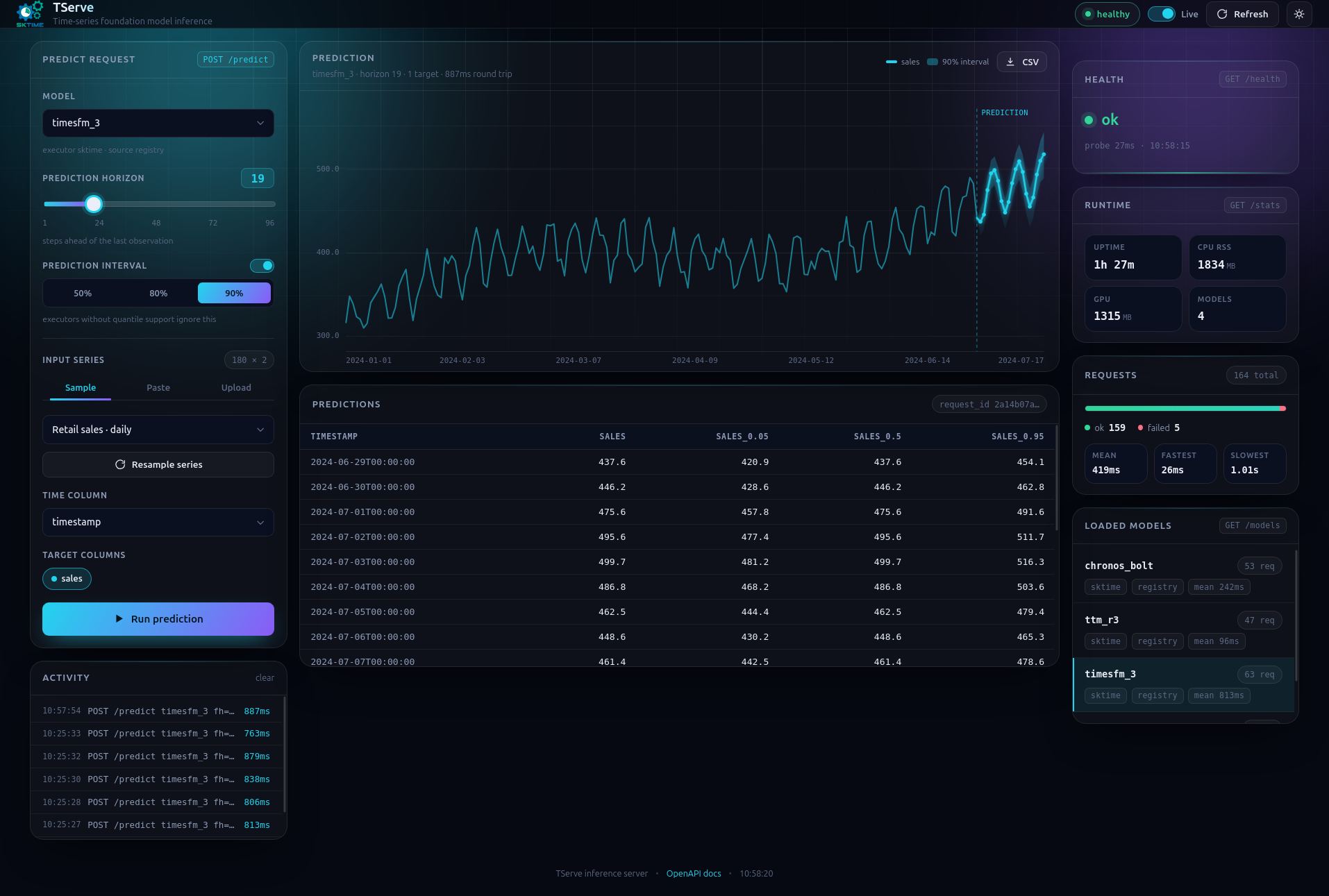
What you can do
- Pick a loaded model (the dropdown is
GET /models, not the full catalog) - Set the prediction horizon (1–96 steps)
- Optionally request a prediction interval (
quantiles) if the model supports it. - Use a sample series (daily sales, airline, hourly energy, hourly traffic), paste CSV, or drop a CSV file (parsed in the browser)
- Choose the time column and target columns
- Run
POST /predictand plot predictions - Download the prediction as CSV
Health and stats cards on the right poll GET /health and GET /stats. Toggle Live to refresh every 5 seconds.
There is no authentication and no hosted TServe API — these URLs are the process you started.
Live OpenAPI
Same origin, generated from the FastAPI app:
| UI | URL |
|---|---|
| Swagger | http://127.0.0.1:8000/docs |
| ReDoc | http://127.0.0.1:8000/redoc |
| Schema | http://127.0.0.1:8000/openapi.json |
Use Swagger to try POST /predict from the browser. The dashboard is the console; Swagger is the contract.