Overview
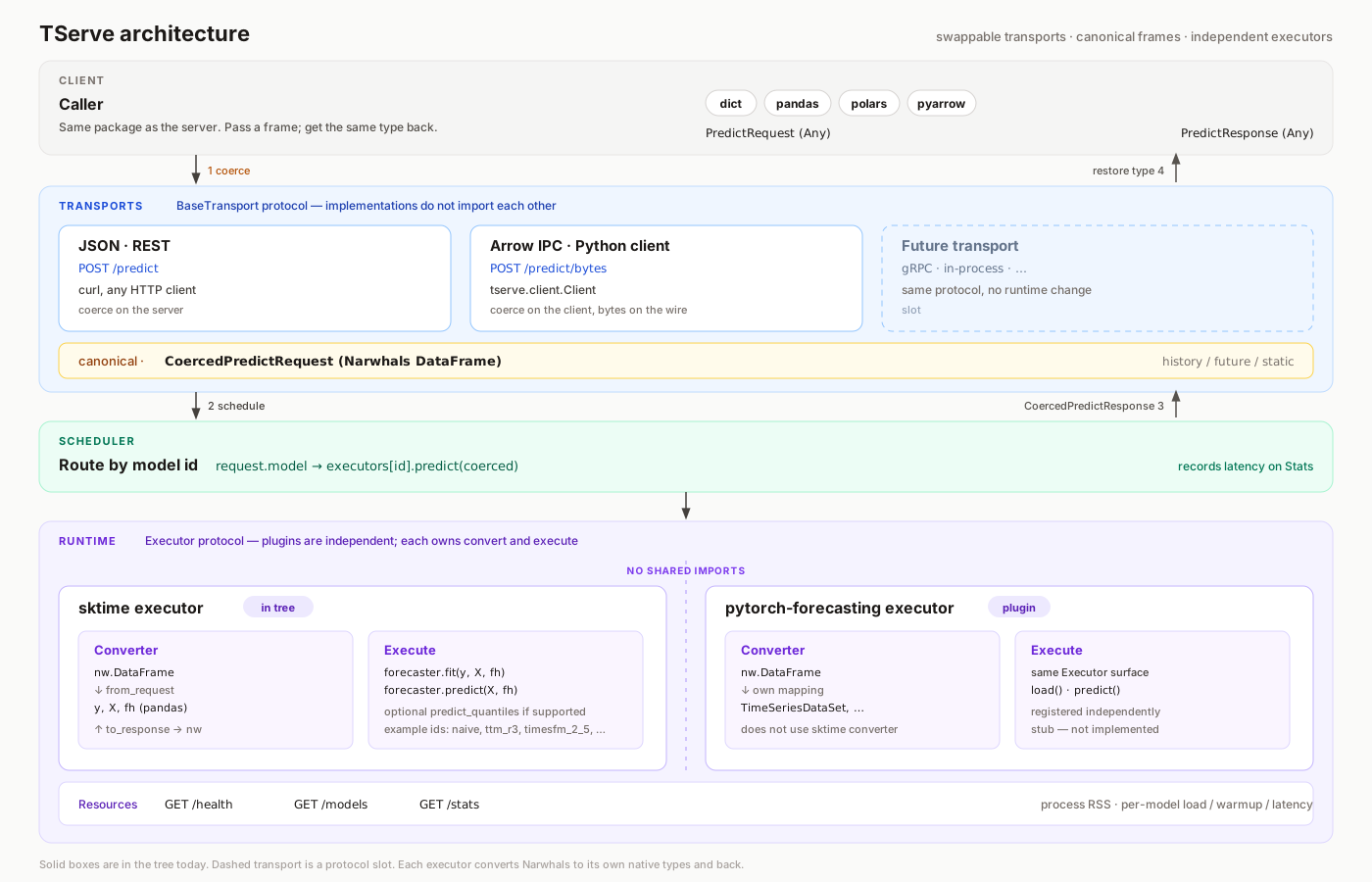
TServe is a process you run. It loads named models once, keeps them warm, and answers forecast requests. There is no hosted API.
| you want | where |
|---|---|
| Browser console | Dashboard at GET / |
| JSON predictions | POST /predict — HTTP |
| Python predictions | Client — Python |
| Live OpenAPI | /docs, /redoc |
| Loaded models | GET /models |
JSON and Python send the same fields. JSON is coerced on the server. The Python client coerces locally and posts Arrow to POST /predict/bytes.
What gets loaded
The catalog is what a process can load. You name the models to load. naive always loads, so you can test the process without a download. GET /models lists what this process loaded.
Install the extra, or pull the Docker tag, that matches the family. server is enough for naive. Hub families are separate extras and tags: Dependencies.
Request
A prediction is tables plus column roles. The same fields go on JSON and Client.predict(...):
| field | |
|---|---|
past |
required. one row per timestamp, with a time column and the targets |
fh |
required. steps ahead (> 0) |
time, target |
optional. omitted: first column is time; other columns not in future are targets |
model |
optional. default "naive", and it must be loaded |
future |
optional. known future values of covariates |
static |
optional. one row of values that stay constant |
quantiles |
optional, e.g. [0.1, 0.5, 0.9] |
{
  "past": {
    "timestamp": ["2024-01-01", "2024-01-02", "2024-01-03", "2024-01-04", "2024-01-05"],
    "sales": [120, 135, 128, 142, 138]
  },
  "fh": 3,
  "model": "chronos_bolt"
}
Time is a column. Call reset_index() before sending a pandas DatetimeIndex or an sktime Series. Panel and hierarchical input are not supported. Every format and rule: data specification.